

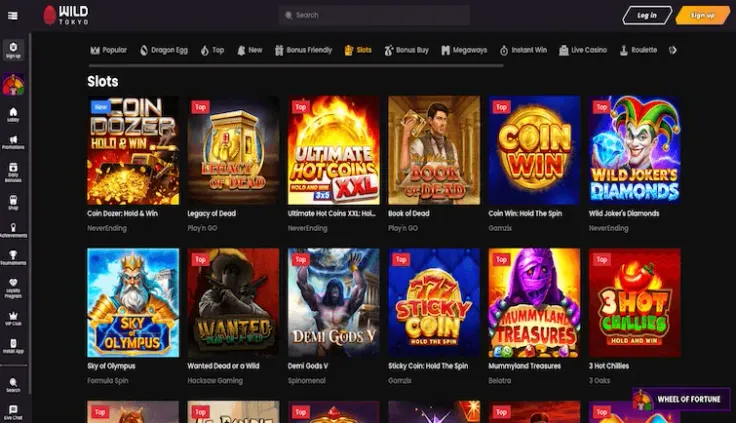
Making a deposit at Wild Tokyo means logging in, opening the cashier, choosing a payment method, entering an amount and confirming the payment. The numbered steps above show the order, so this page covers what to have ready and what stands behind each stage.
Before you start, have your login details to hand, decide which payment method you will use, and make sure the account holder's own documents are within reach in case they are asked for. If you do not have an account yet, the sign-up guide comes first.
What stands behind the deposit steps

The payment methods. Wild Tokyo accepts these payment methods: Visa, Mastercard, Google Pay, Skrill, Neteller, MuchBetter, MiFinity, Jetonbank, eZeeWallet, Revolut, Rapid Transfer, PaysafeCard, Neosurf, Flexepin, CashtoCode, Cashlib, Bank transfer, Bitcoin, Bitcoin Cash, Litecoin, Ethereum, Tether (USDT), Cardano (ADA) and Binance Pay. The list mixes bank cards, e-wallets, prepaid vouchers, bank transfer and cryptocurrencies, and the table above shows how each one is marked for deposits and withdrawals. If you use a cryptocurrency, remember that its value can move between the moment you decide to pay and the moment the payment is confirmed, so check the amount on the confirmation screen before you approve it. With an e-wallet or a prepaid voucher, the funds have to be in the wallet or on the voucher before you start, so top it up first and keep the voucher code or wallet login out of sight of anyone else.
Whose method it is. Use a payment method that belongs to you. Proof of payment method ownership is among the documents involved in verification, so a method in someone else's name can cause problems. The name on the payment method should match the name on your Wild Tokyo account.
Identity verification. Identity verification is required at Wild Tokyo. The documents involved are Photo ID, Proof of address, Proof of payment method ownership and Proof of deposit. Gathering them can take time on your side, and a photo that is blurred, cropped or out of date is a common reason for a document to be sent back. Do not look for ways around the checks, and do not submit documents that are not yours. The verification guide explains the process step by step.
The cashier. The cashier is where deposits are made. Open it from your account, follow the prompts for the method you chose and read the confirmation before you approve the payment. Check the amount twice, because a typing slip on a phone or a keyboard changes what you pay, and a payment you did not intend is harder to undo than one you checked.
Offers. If you want to take an offer with your deposit, read its terms before you pay, not after. The welcome bonus page shows the terms of the introductory offer. T&Cs apply.
18+ · T&Cs apply
Common problems and what to do
You cannot log in. If you have forgotten your password, reset it through Wild Tokyo's own website, and see the login guide for the general steps. Do not try to guess the password many times in a row.
The payment does not go through. Check the payment details, the available balance on the method and the amount you entered. A payment can also be declined by your bank or payment provider, so contacting them is worth doing before you try again. If you are using a cryptocurrency, check that you selected the right network for the coin before you send anything.
A document is rejected. Send a clearer copy. Make sure all four corners are visible, the text is readable and the name matches the one on the account. If a method cannot be verified in your name, choose another method that is yours.
A payment seems to be missing. Keep any reference or confirmation you were given, and do not repeat the payment until you know what happened to the first one.
When to contact support. Wild Tokyo support has live chat and email, and support hours are 24/7. Contact support if a payment has been taken but your balance has not changed, if a document keeps being rejected, or if you cannot get into your account. Give the details of the payment, the method you used and the time you made it, and keep a record of the conversation. A screenshot or a saved confirmation from your own bank or wallet is the most useful thing to have when you ask support to look into a payment.
Keeping your account and your money under control

Enter your password only on the Wild Tokyo website that you opened yourself, never on a page reached through a message or an advertisement. Use a password that you do not use anywhere else, and log out when you finish on a shared device.
Pay only from a method and an account that you control. Decide how much you will deposit before you open the cashier, and treat that amount as money spent on entertainment. If the account offers deposit limits, set one at the start, while you are calm, and leave it in place. Keep your documents ready so that a verification request does not catch you by surprise, and use the withdrawal guide to see what to expect when the money goes the other way.